Lead scoring best practices
As you can see there are a lot of ways to do lead scoring, and while there isn’t necessarily a right way, there are some best practices you can adhere to.
1. Define clear criteria
Establish precise criteria for what constitutes a qualified lead, including demographic information (such as location within the UK), firmographics (industry, company size), and behavioural data (website interactions, content downloads).
2. Align sales and marketing
It’s important to ensure that your sales and marketing teams are aligned on the lead scoring criteria. Regular meetings and feedback loops can help refine the scoring process to better reflect the quality of leads.
3. Use data and analytics
Use CRM systems such as HubSpot, Salesforce, and Pipedrive, as well as any other marketing automation tools you use, to track interactions with these leads, and update scores in real-time.
4. Segment and personalise
Tailor your lead scoring model to different segments within the UK market. For example, leads from London might have different criteria than those from rural areas. Personalisation helps accurately assess each lead’s potential.
5. Incorporate multiple touchpoints
Consider using and tracking various touchpoints such as email engagement, social media interactions, and attendance at webinars or events. A holistic view of a lead’s journey provides a more accurate score.
6. Regularly review and update
The UK market is dynamic, so regularly review and adjust your lead scoring model to reflect changing buyer behaviours and market conditions. It’s also encouraged to use feedback from your sales team to fine-tune the process.
7. Use predictive scoring
Implement predictive lead scoring using AI and machine learning to analyse patterns and predict which leads are most likely to convert. We’ll discuss predictive lead scoring further in the article.
8. Training and education
Provide ongoing training for your sales and marketing teams on the importance of lead scoring and how to use the scoring system effectively.
9. Measure and optimise
Even once you have your lead scoring system in place, you need to make sure you continuously measure its performance against conversion rates and sales outcomes.
And most importantly, you must make sure your lead scoring practices comply with UK data protection laws, such as GDPR. Obtain explicit consent for data collection and clearly communicate how the data will be used.
Lead scoring example
Here’s an example of lead scoring for a fictional UK-based B2B software company. In this example, we’re using a combined lead scoring model.
Lead scoring criteria and points allocation
Demographic information
Location
UK-based leads: +10 points
Outside the UK: 0 points
Job title
Senior Management (CEO, CTO, etc.): +15 points
Middle Management (Department Heads, Managers): +10 points
Entry Level: +5 points
Firmographics
Company size
Large Enterprises (500+ employees): +20 points
Medium-sized Businesses (50-499 employees): +10 points
Small Businesses (1-49 employees): +5 points
Industry
Technology sector: +15 points
Other sectors: +5 points
Behavioural data
Website activity
Visits the pricing page: +10 points
Downloads a whitepaper or eBook: +10 points
Attends a webinar: +15 points
Signs up for a newsletter: +5 points
Visits the website multiple times (e.g. 3 or more visits in a week): +10 points
Email engagement
Opens emails: +2 points per email
Clicks on links within emails: +5 points per click
Engagement with sales
Requests a demo or meeting: +20 points
Responds to sales outreach: +10 points
No response to outreach: -5 points
Example lead profile and score calculation
Lead details
Location: London, UK
Job title: Head of IT
Company size: 200 employees
Industry: Technology
Behaviour
Visited the pricing page twice
Downloaded an eBook
Attended a webinar
Opened three marketing emails and clicked on links in two of them
Requested a demo
Scoring calculation
Location: UK-based (+10 points)
Job title: Head of IT (Middle Management) (+10 points)
Company size: 200 employees (medium-sized business) (+10 points)
Industry: Technology (+15 points)
Visits the pricing page: 2 visits (+10 points)
Downloads an eBook: (+10 points)
Attends a webinar: (+15 points)
Opens emails: 3 opens (+2 points each = +6 points)
Clicks on links within emails: 2 clicks (+5 points each = +10 points)
Requests a demo: (+20 points)
Total lead score
10 (Location) + 10 (Job Title) + 10 (Company Size) + 15 (Industry) + 10 (Pricing Page Visits) + 10 (eBook Download) + 15 (Webinar Attendance) + 6 (Email Opens) + 10 (Email Clicks) + 20 (Demo Request) = 116 points
Based on this score, the lead would be classified as highly qualified and ready for sales follow-up, as they have demonstrated significant interest and engagement with the company’s offerings.
Predictive AI lead scoring
With the rise of AI in the past few years, it’s no surprise that people started using it for lead scoring — it’s a handy and effective way to make lead scoring work for you.
What is predictive lead scoring?
Predictive lead scoring with AI involves using machine learning algorithms to analyse historical data and predict the likelihood of a lead converting into a customer.
Here’s an overview of how to implement predictive lead scoring:
1. Data collection
Collect data from various sources such as CRM systems, marketing automation platforms, and customer databases (like us). This data should include information on past leads, including both those which converted and those which did not.
2. Data preparation
Ensure the data is clean and well-organised. Handle missing values, remove duplicates, and standardise formats.
Create relevant features (attributes) from raw data. For example, calculate the number of website visits in a month, the frequency of email clicks, and the average time spent on the site and what score you want to attribute to those.
From here you can upload that data into your CRM or machine learning lead scoring tool, such as HubSpot.
How to do lead scoring in HubSpot
One example of predictive lead scoring is to use the Lead Scoring feature in HubSpot. Here’s a step-by-step guide on how to set up lead scoring in HubSpot:
1. Access lead scoring
Navigate to settings:
- Click on your account name in the top right corner of the HubSpot dashboard.
- Select Settings from the dropdown menu. If you’re using the new look HubSpot, it’ll be under Profile & Preferences.
Find properties:
- In the left sidebar menu, go to Properties under the Data Management section.
Lead scoring property:
- Search for "HubSpot Score" in the properties list. This is the default property used for lead scoring in HubSpot.
2. Setting up scoring criteria
Edit scoring property:
- Click on the "HubSpot Score" property to edit it.
Add positive attributes:
- Click ‘Add criteria’ under the positive section.
- Choose criteria based on your lead's positive actions or attributes. See below examples:
- Form submissions: Add points for each form submission.
- Email engagement: Add points for opening or clicking emails.
- Website visits: Add points for visiting key pages on your website.
- Job title: Add points for specific job titles that align with your target buyer personas.
Add negative attributes:
- Click ‘Add criteria’ under the negative section.
- Choose criteria based on behaviours or attributes that lower the lead’s value. Examples include:
- Email unsubscribes: Subtract points for unsubscribing from emails.
- Bounce rate: Subtract points if the email address bounces.
- Low engagement: Subtract points for leads who haven't engaged over a certain period.
Once you’ve added all your criteria, you can fine-tune them by analysing and monitoring the data coming in.
If you need more guidance, HubSpot offers a free lead scoring template.
How your Business Development team can find prospects and implement lead scoring with Beauhurst
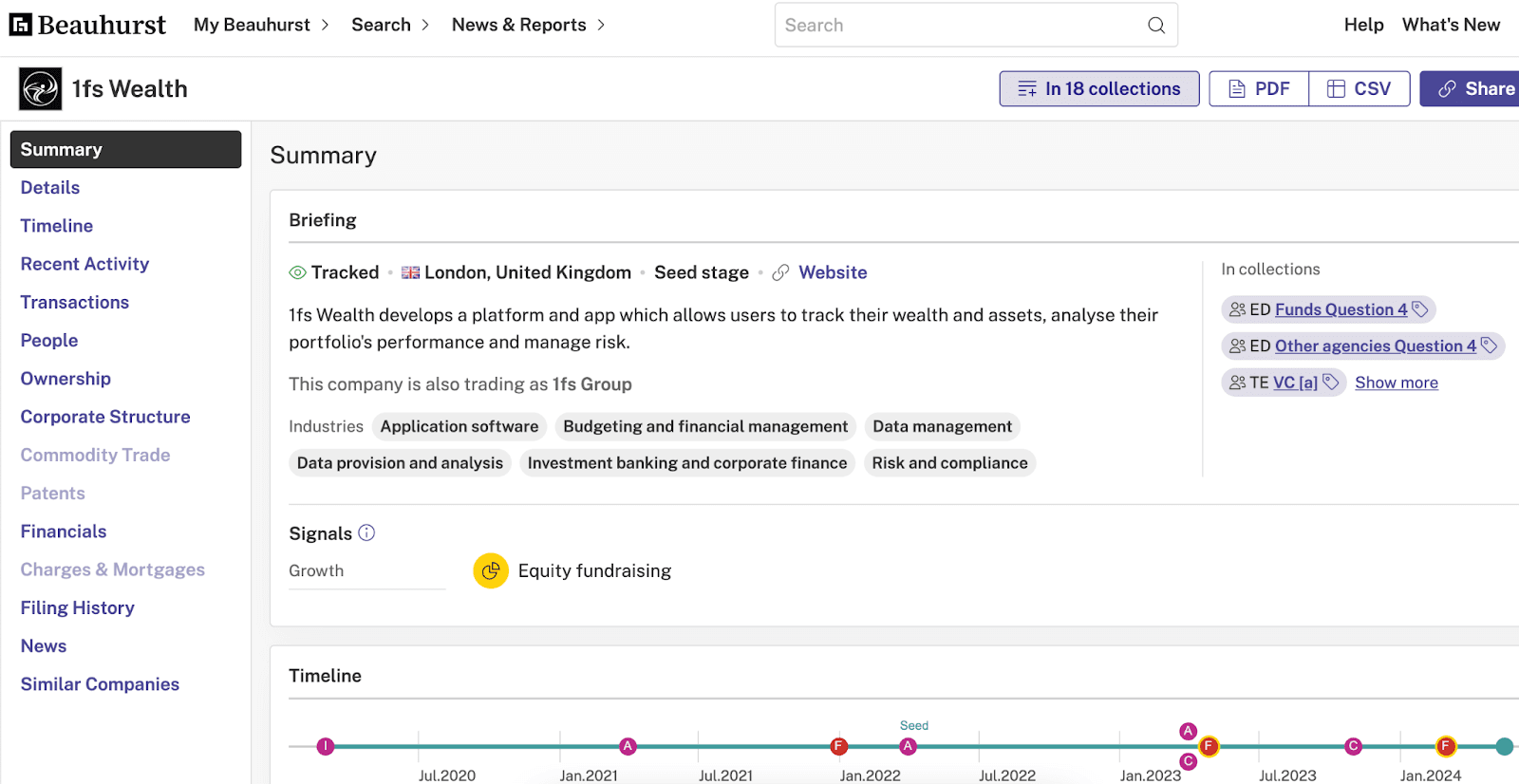
Finding prospects is generally the biggest challenge in sales. With Beauhurst, you can find high-quality leads easily and efficiently. Let’s take a look at an example.
Imagine you’re on the business development team at a B2B IT management company (based in London) looking for companies to offer your IT services to, namely small tech or finance companies that will need a lot of IT support.
You’d need to find local tech and finance startups — and then find the contact details of key decision-makers.
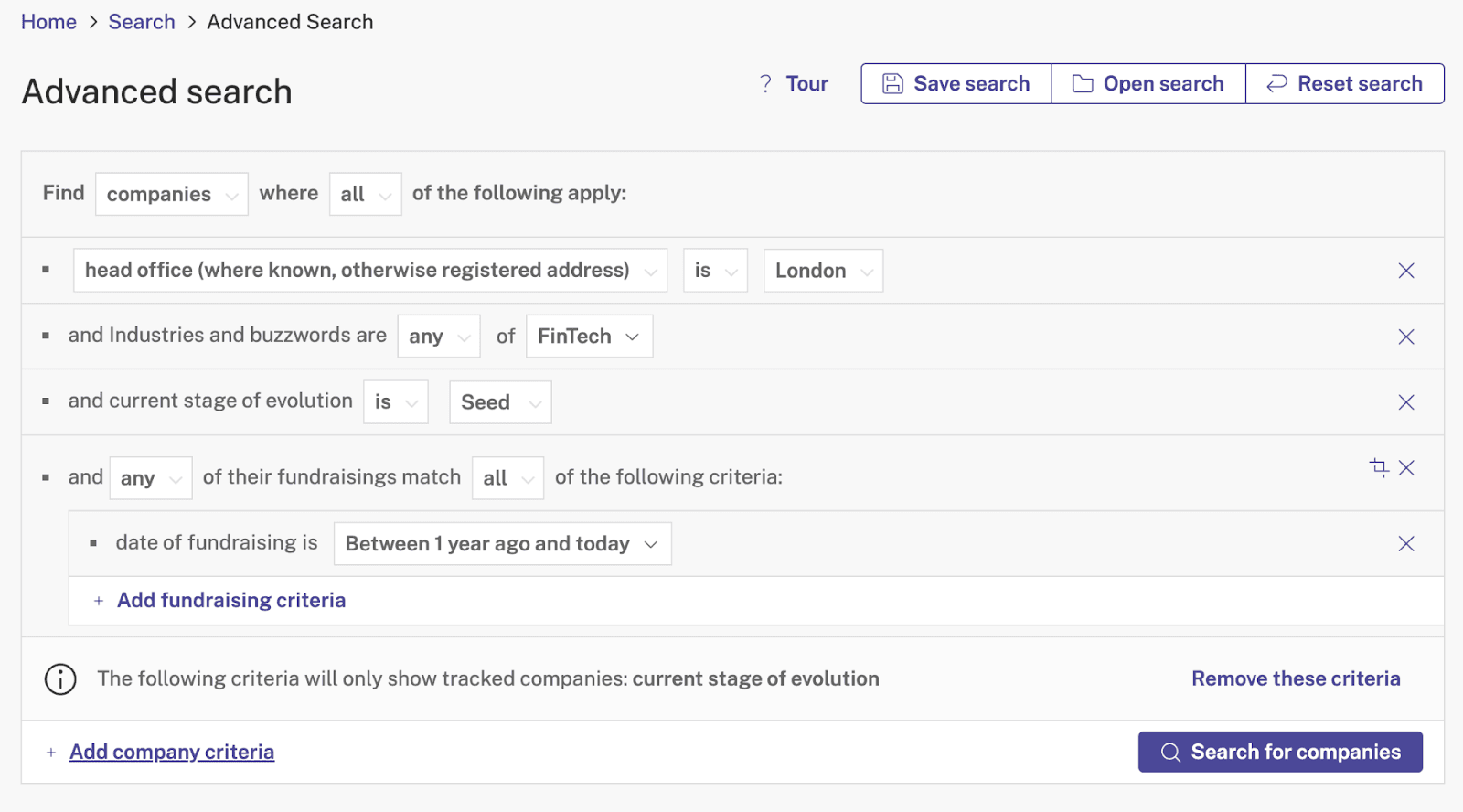
First, you’d navigate to our search function — helpfully called Advanced Search — where you can build a search using detailed criteria. We’re looking for fintech startups, so we’d want to look for fintech companies in London at seed stage that have recently raised funding.
So, add the criteria:
- Located: London
- Industry: Fintech
- Current stage of evolution: Seed
- Funding: received within one year