
Monitoring key companies is vital for businesses to stay on the front foot. With Beauhurst, that’s done by turning your list of companies into a dynamic Collection on our platform. It’s quick to set up, simple to update — and a very powerful tool.
Unlock the Power of Your Collection: Monitor Your Portfolio
Words Henry Gale

Uncover new ways to keep up with your portfolio — or any other companies of interest — thanks to updates to Beauhurst Collections
What are Collections?
A Collection is a set of companies, curated by you, on the Beauhurst platform. They are an efficient way to group companies together and then get notifications when important changes and updates to companies within the group.
Once a Collection has been created, you can set up alerts, track activity, and keep all your information refreshed, keeping you one step ahead when it comes to understanding and engaging with your key prospects or clients.
Step one: Create a Collection
You do this by uploading a list of companies directly to the Beauhurst platform. You can choose to do this using company IDs, or other identifiers, and the platform will upload it quickly and accurately.
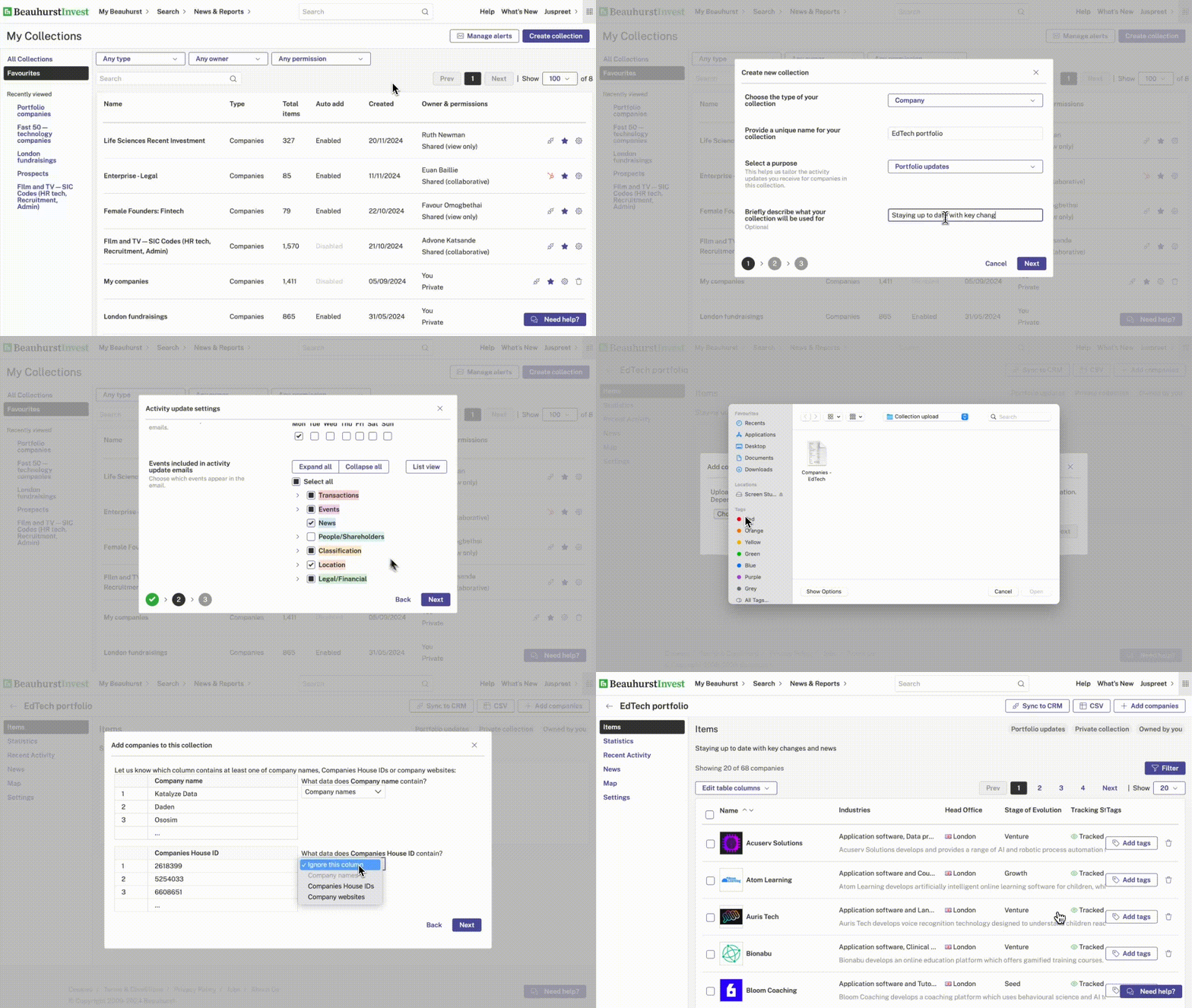
Step two: Set up alerts
Once your list is uploaded, take full control by setting up notifications for key activities, such as transactions, news stories, and signals. This ensures that you’ll be alerted as soon as there are key changes or activities in the companies that you’re monitoring.
Top tip: To keep your Collection accessible, save it to your favourites so you can jump back in whenever needed.
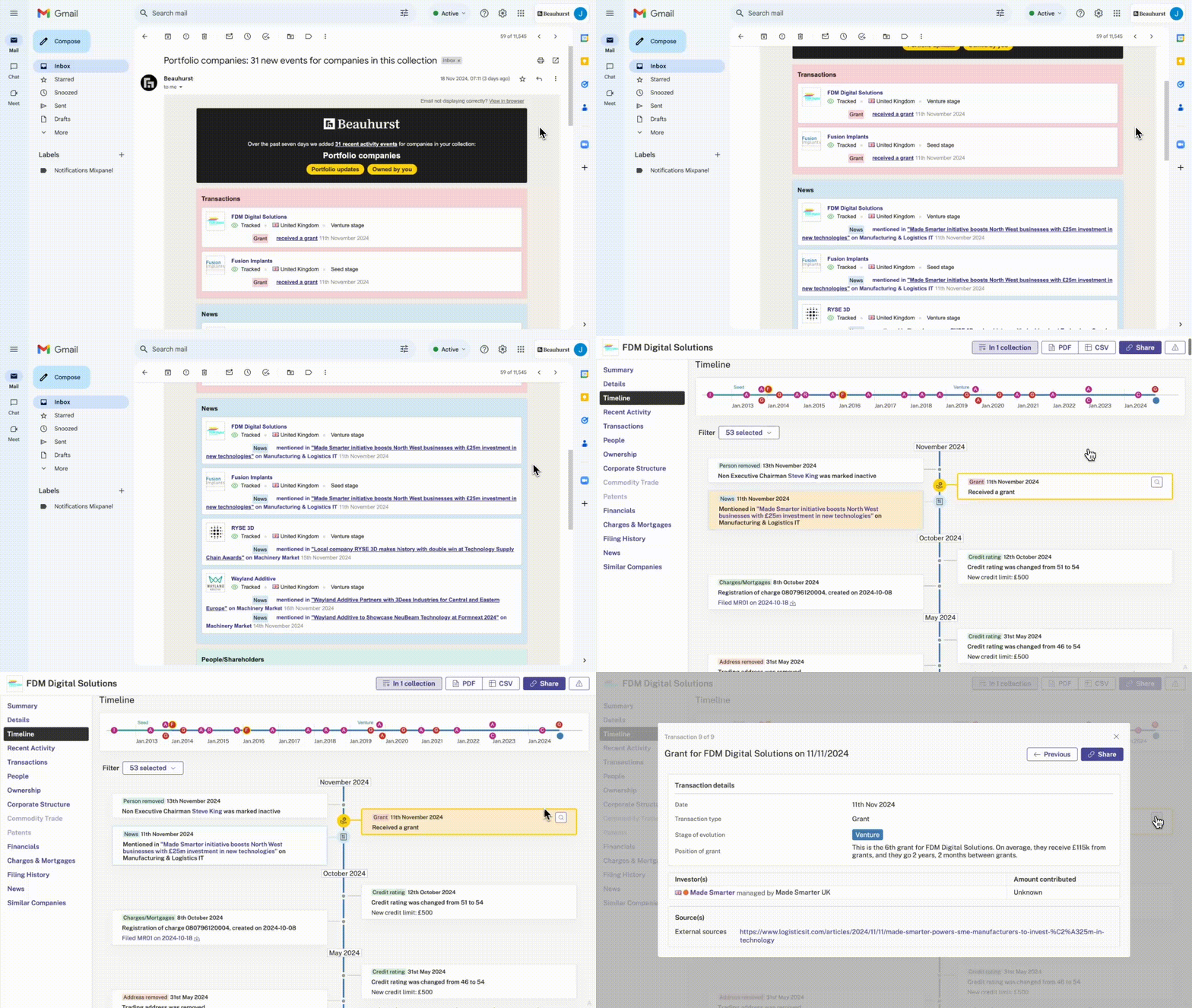
Step three: Create email updates
Stay informed with updates sent directly to your inbox. Once you’ve set them up, you’ll receive an email every morning with a summary of the latest activity within your Collection, highlighting significant events.
Whether it’s a notable transaction or a company appearing in the news, these updates help you stay informed, and prioritise what matters most.
Step four: Keep your Collections up to date
Over time, you’ll want to ensure your Collection stays up to date. Adding new companies is easy—simply use the History feature to revisit your previous uploads and build on them. You can also refine your list by searching for and removing outdated companies that no longer align with your focus. Keeping your Collection fresh ensures it remains a reliable resource for your workflow.
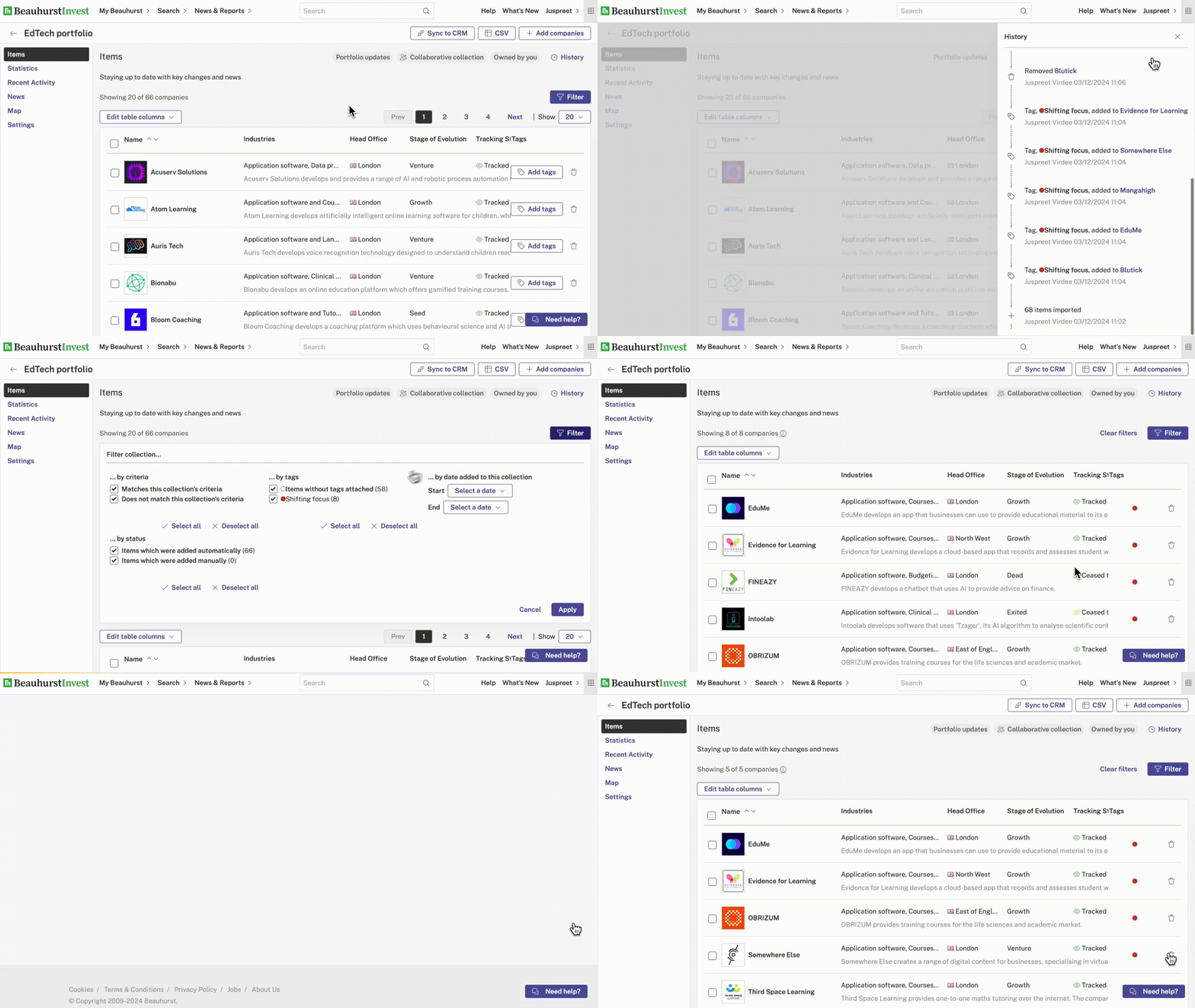
Finally, you can take your Collection to the next level by enriching it further or integrating it with your CRM. By connecting your Collection to HubSpot or Salesforce, you can sync updates directly into your CRM — ensuring your team has access to the latest insights. This integration saves time, reduces manual data entry, and keeps everyone aligned with the most up-to-date information.
If you’re interested in setting this up for your own business, but you don’t yet use Beauhurst, get in touch.
Want to learn more? Fill in the form below to book a meeting directly with one of our team members.
Latest articles
15 October 2026

Building the Predictive Advisory Firm: What We Learned From Linklaters, HSBC, and Harken
Read the article
15 October 2026

How to Predict Industry Trends Using Company Data
Read the article
12 October 2026

Foreign Capital and the UK Growth Cycle
Read the article
8 October 2026

How to Monitor Companies That May Need Advisory Services
Read the article